Waste tracking and waste cost
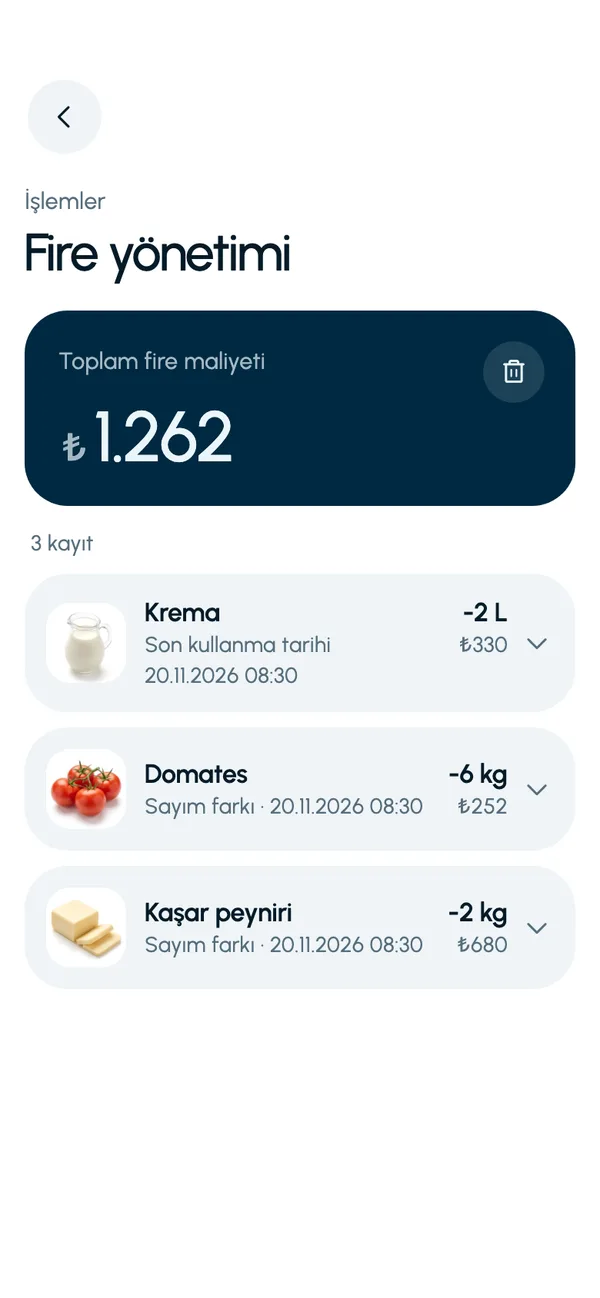
In LineerStok, waste is an outcome of the stock count. Every shortage in an approved count is recorded as waste at that day's unit cost. The Waste management screen (Fire yönetimi) shows the total waste cost, how much of each product was lost and which batch the loss came from.
What you can do
Total waste cost
At the top of the Waste management screen you see what the loss comes to in lira. The loss is stated in money, which says more than a quantity.
Records by product and batch
Each waste card shows the product, quantity, unit cost, total amount and the batch involved.
Recorded automatically from the count
You do not enter waste as a separate task. When you approve the count, shortages become waste records on their own.
Counters on Summary and Operations
The Summary screen has a waste cost line, and the Operations tab shows this month's waste amount.
Screens from the app
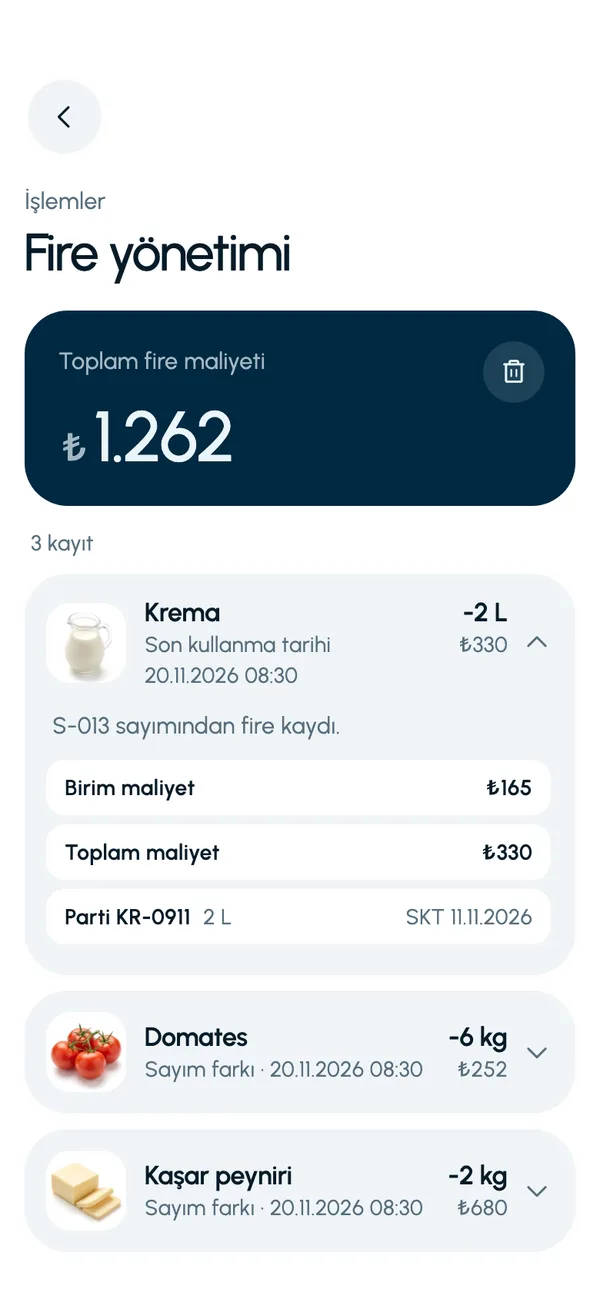
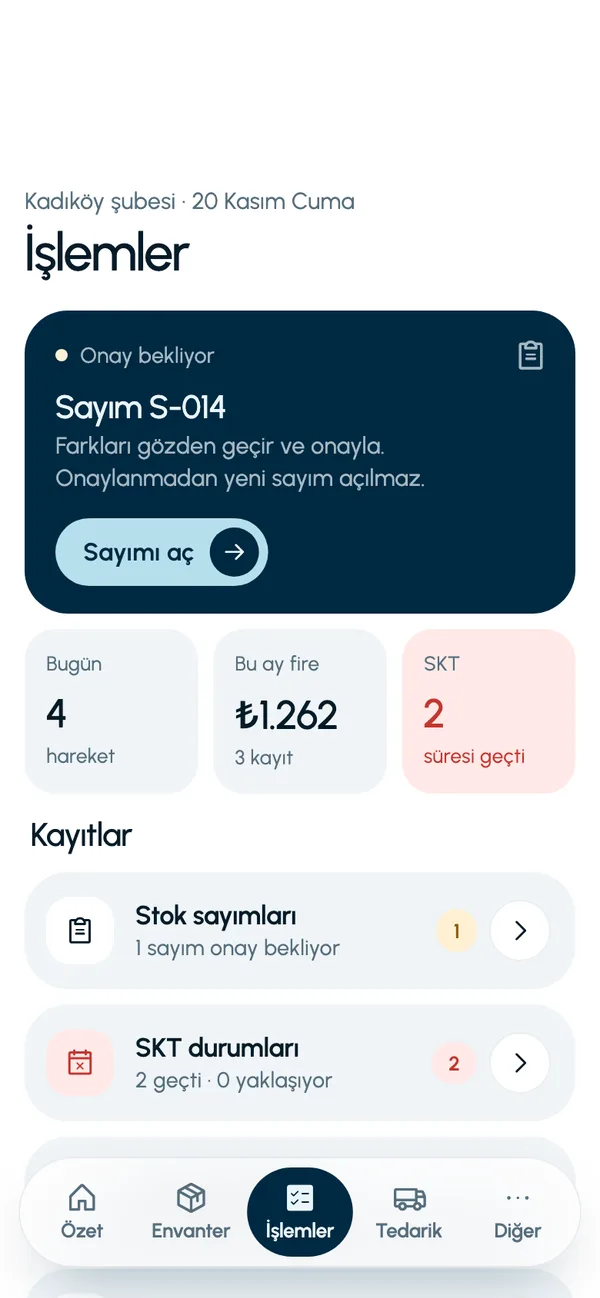
These are real screens from the app. The app interface is in Turkish; the business and products shown are sample data.
How it works
- 1
Run the count
A regular stock count is the source of waste tracking.
- 2
Approve the count
Shortages are recorded as waste, with their cost.
- 3
Open the waste screen
Go to Waste management from the Operations tab (İşlemler) to see the amount and the line items.
- 4
Ask the assistant
You can ask the AI assistant, in Turkish, for the waste cost of the last week or month.


At a glance
- Source
- Shortages in an approved stock count
- Amount
- Quantity x unit cost at the time of the movement
- Detail
- Product, quantity, unit cost, total, batch
- Where it appears
- Waste management, Summary, Operations
Good to know
- At present a waste record is created only from a stock count variance. Manual waste entry for reasons such as spoilage or breakage is not available yet.
- Waste records are not exported; they are viewed in the app.
Frequently asked questions
How is waste recorded in LineerStok?
When you approve a stock count. A shortage found in the count becomes a waste record with the reason count variance, at its unit cost. You do not need to do anything else.
Can I enter a spoiled or broken item as waste by hand?
Not at present. A waste record is created only from a count variance. A spoiled item shows up as a shortage in the next count and moves to the waste records.
How is waste cost calculated?
The missing quantity is multiplied by the unit cost at the time the record was created. Even if the unit cost changes later, the amount of the old waste record does not change.


Let us set up your stock together
We will walk you through the app with your own products and branches. The demo is free and takes about 30 minutes.