Multi-branch stock management
In LineerStok you can open as many branches and warehouses as you need under one business. A branch manager sees and manages only the stock of their own branch. The business admin uses the Business-wide view (İşletme geneli) to see how much of each product is in which branch and which warehouse, on one screen.
What you can do
Start with a single sign-up
When you sign up, your business, your first branch and your admin account are created in one step.
Branch manager invitation
Choose who will manage the new branch. If it is someone else, a 6-digit invitation code is sent to their email.
Business-wide inventory
On one card you see a product's total across branches, its total across warehouses and the breakdown by warehouse.
Product search across branches
You can search for a product across the whole business by SKU, barcode or serial number.
Clear permission boundaries
A branch manager cannot access another branch's data. Approvals and deletions belong to the business admin.
Screens from the app
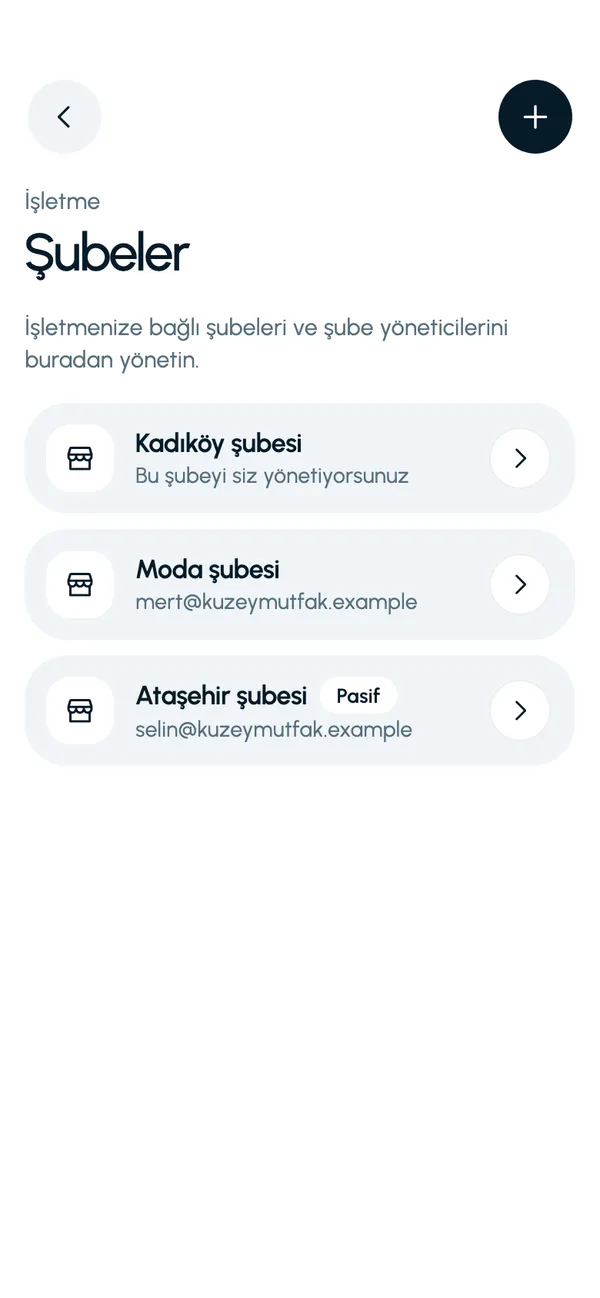
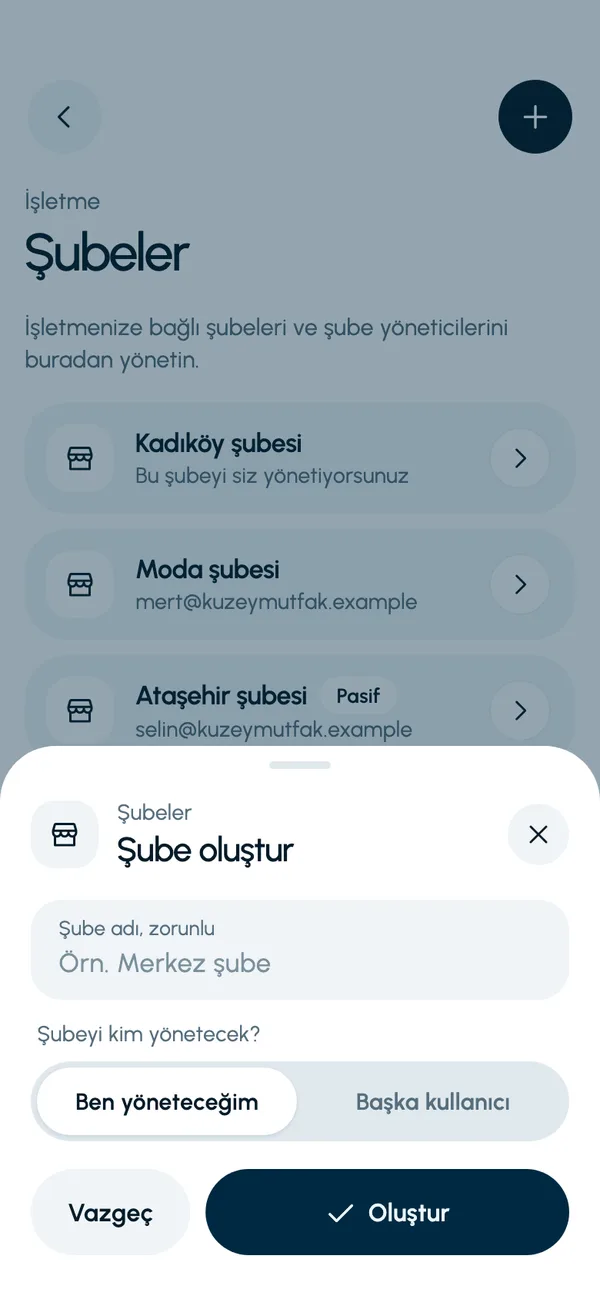
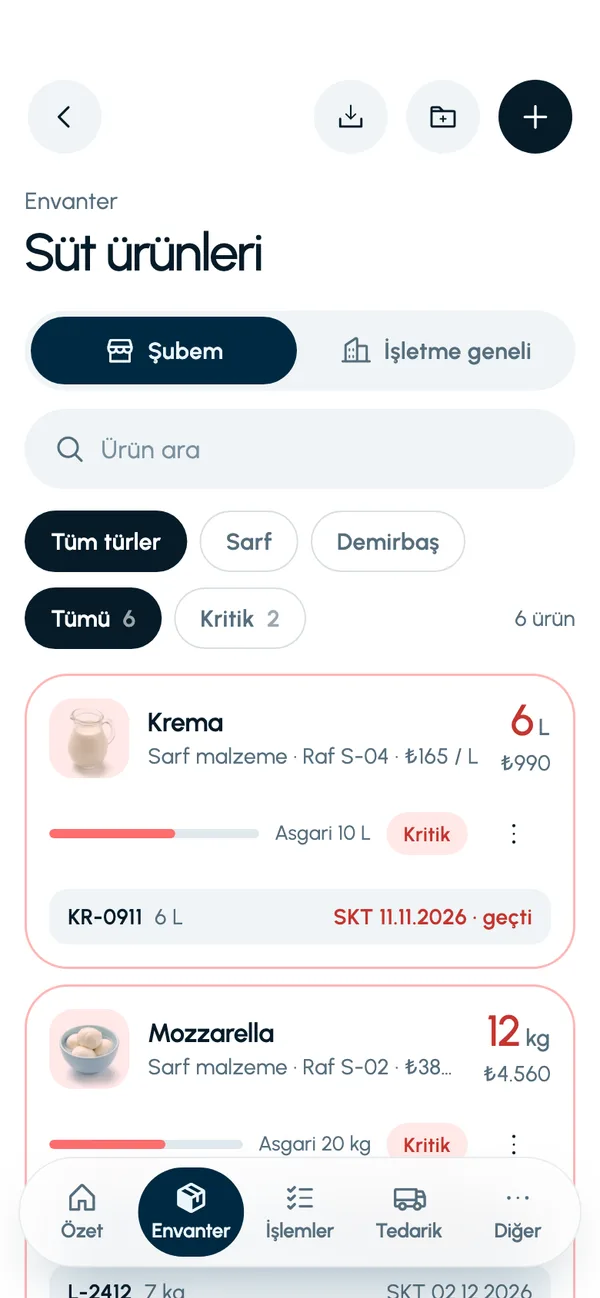
These are real screens from the app. The app interface is in Turkish; the business and products shown are sample data.
How it works
- 1
Register your business
Open your account with your name, your business name and the name of your first branch.
- 2
Add a branch
Create the new branch from the Branches screen (Şubeler) on the More tab (Diğer).
- 3
Invite the manager
Enter the branch manager's email. Their branch opens once they enter the code.
- 4
Switch to the overall view
In Inventory, switch between My branch (Şubem) and Business-wide with one tap.


At a glance
- Roles
- Business admin, branch manager
- Invitation
- 6-digit code by email, valid for 15 minutes
- Business-wide view
- Inventory, Find product, Expiry status
- Data separation
- Each business's data is separate from the others
Good to know
- There are two roles: business admin and branch manager. Additional roles such as cashier or read-only are not available yet.
- The business admin's session is tied to their own branch. They follow other branches through the Business-wide views; they do not switch branches in the app to act on behalf of another branch.
- The invitation code is valid for 15 minutes and is locked after 5 incorrect attempts.
Frequently asked questions
Can a branch manager see the stock of other branches?
No. A branch manager sees only the inventory, movements and requests of their own branch. Only the business admin sees all branches.
How do I open a new branch?
The business admin creates the branch from the Branches screen and chooses its manager. If another user will manage it, that person receives a 6-digit invitation code by email; when they enter the code, their account and branch are opened.
How many branches can I open?
The app has no technical limit on the number of branches.


Let us set up your stock together
We will walk you through the app with your own products and branches. The demo is free and takes about 30 minutes.