Stock transfers from warehouse to branch
In LineerStok, the business admin sets up central warehouses, receives goods into them and transfers those goods to branches. A transfer goes through approval, you choose which batch to send, and the batch code and expiry date move to the branch with it. You cannot send more than the warehouse holds.
What you can do
Warehouses
Open as many warehouses as you need, such as a central warehouse or a cold storage warehouse. Each warehouse's stock is kept separately.
Receiving goods into a warehouse
You add a product to a warehouse with its quantity, batch code, shelf code and expiry date. You can also raise a purchase request directly for a warehouse.
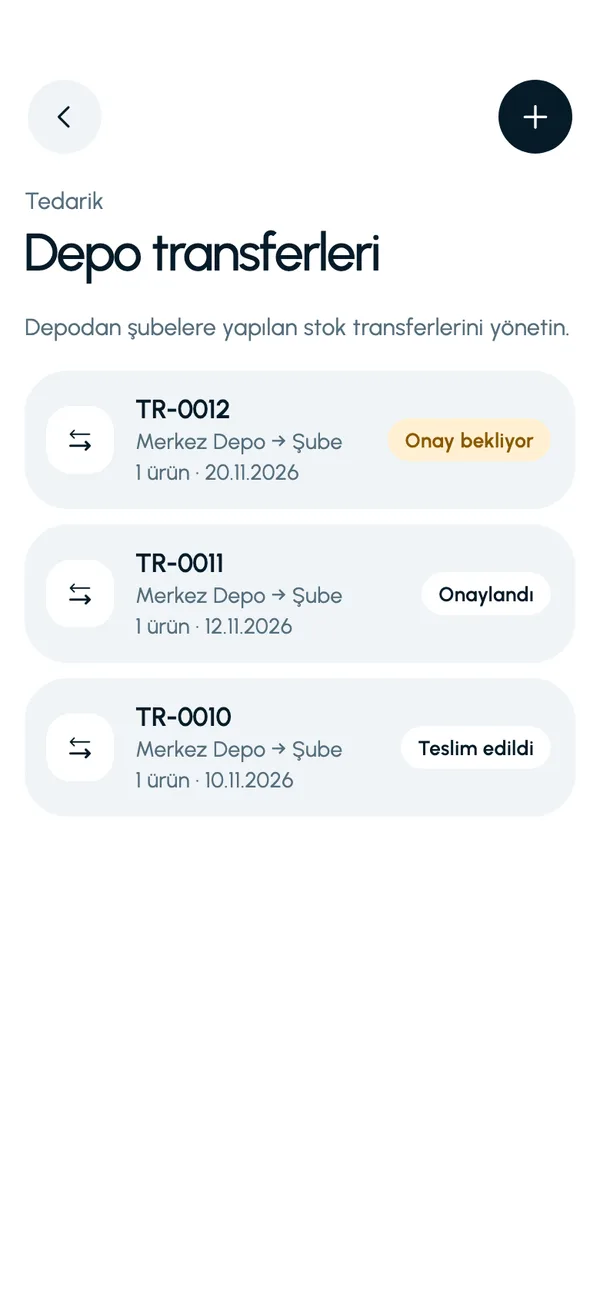
Transfers with approval
A transfer is created, sent for approval, approved and carried out. Every step is recorded.
Batch selection
When sending, you choose the outgoing batch for each product. If one batch is not enough, the app warns you.
Dates move to the branch
The batch code and expiry date of goods entering the branch are the same as in the warehouse.
Screens from the app
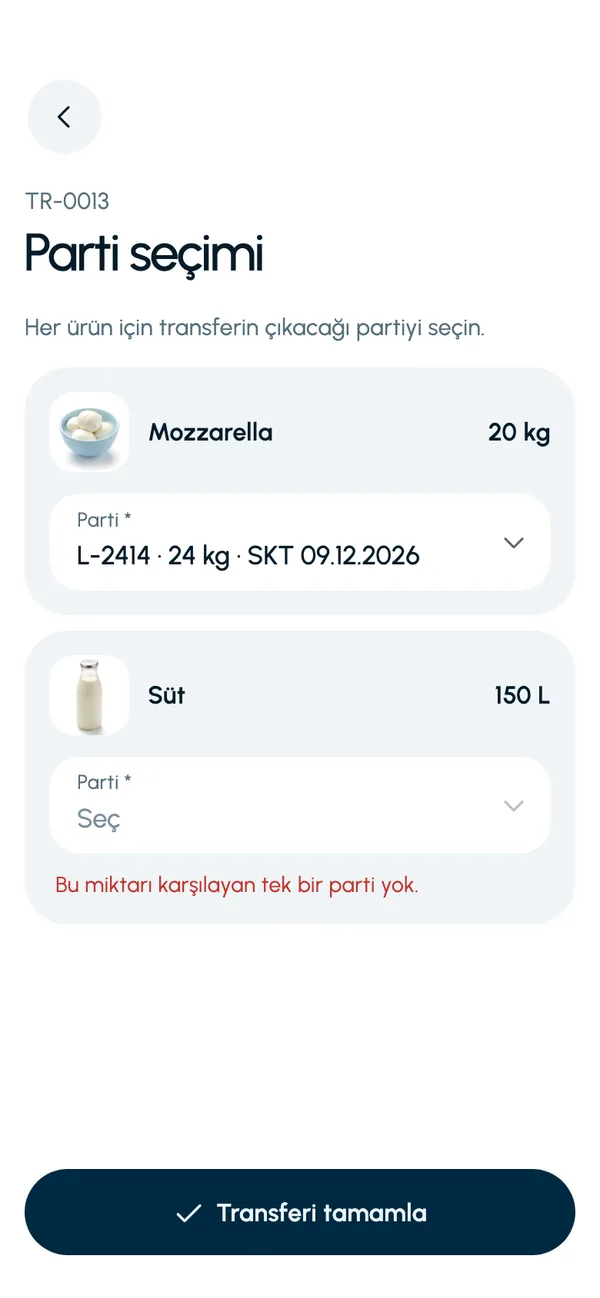
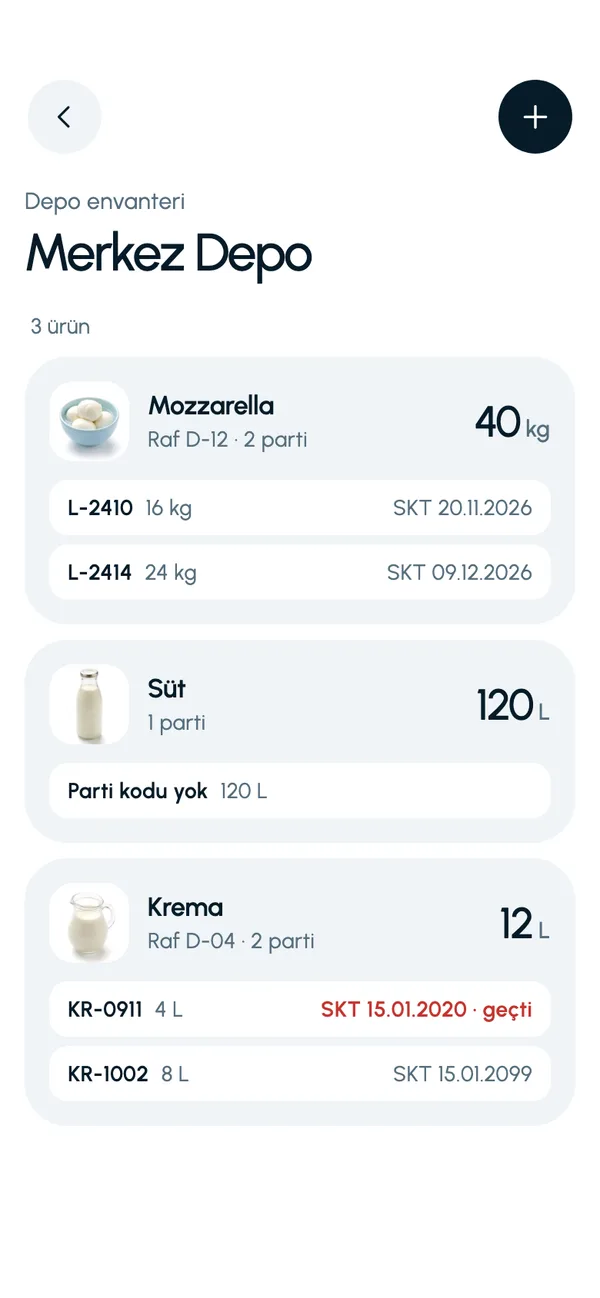
These are real screens from the app. The app interface is in Turkish; the business and products shown are sample data.
How it works
- 1
Set up the warehouse
Create the warehouse from the Warehouses screen (Depolar) on the More tab (Diğer) and enter its stock.
- 2
Create a transfer
Select the source warehouse, the destination branch and the products, then send it for approval.
- 3
Approve
Review the transfer and approve or reject it.
- 4
Carry it out
Select the batches and complete the transfer. Stock leaves the warehouse and enters the branch.


At a glance
- Direction
- From a central warehouse to a branch
- Permission
- Business admin
- Movement name
- Warehouse-to-branch transfer
- Details carried over
- Batch code and expiry date
Good to know
- Transfers go from a central warehouse to a branch. Direct branch-to-branch transfer is not available yet.
- The warehouse and transfer screens are open only to the business admin. The branch sees incoming goods in its inventory and its stock movements.
- The transfer quantity cannot exceed the quantity in the warehouse.
Frequently asked questions
Can I transfer directly between branches?
At present, transfers go from a central warehouse to a branch. Direct branch-to-branch transfer is not available.
Can I choose which batch goes out in a transfer?
Yes. When you carry out the transfer, you choose the outgoing batch for each product. If the batch you choose does not cover the requested quantity, the app warns you.
Is the expiry date of a transferred product lost?
No. The batch code and expiry date move to the branch unchanged and appear on the branch's Expiry status screen.


Let us set up your stock together
We will walk you through the app with your own products and branches. The demo is free and takes about 30 minutes.