Export your inventory to Excel and CSV
LineerStok turns your branch's inventory into an Excel or CSV file with one tap. The Excel file comes with three sheets: Products, Stock and Batches (Ürünler, Stoklar, Partiler). You send the file from the phone's share menu by email, by message or to your cloud folder. Sharing it with your accountant or with head office takes a minute.
What you can do
Three-sheet Excel file
The Products sheet has name, category, SKU, barcode, unit, minimum stock and unit cost; the Stock sheet has current stock and shelf; the Batches sheet has batch code, quantity and expiry date.
Ready-to-use format
The header row is frozen and filters are switched on. You can sort and filter as soon as you open the file.
CSV option
To move the data into another program, get a semicolon-separated CSV. Turkish characters open correctly in Excel.
Sharing from the phone
The file goes to the app of your choice through your phone's share menu.
Screens from the app
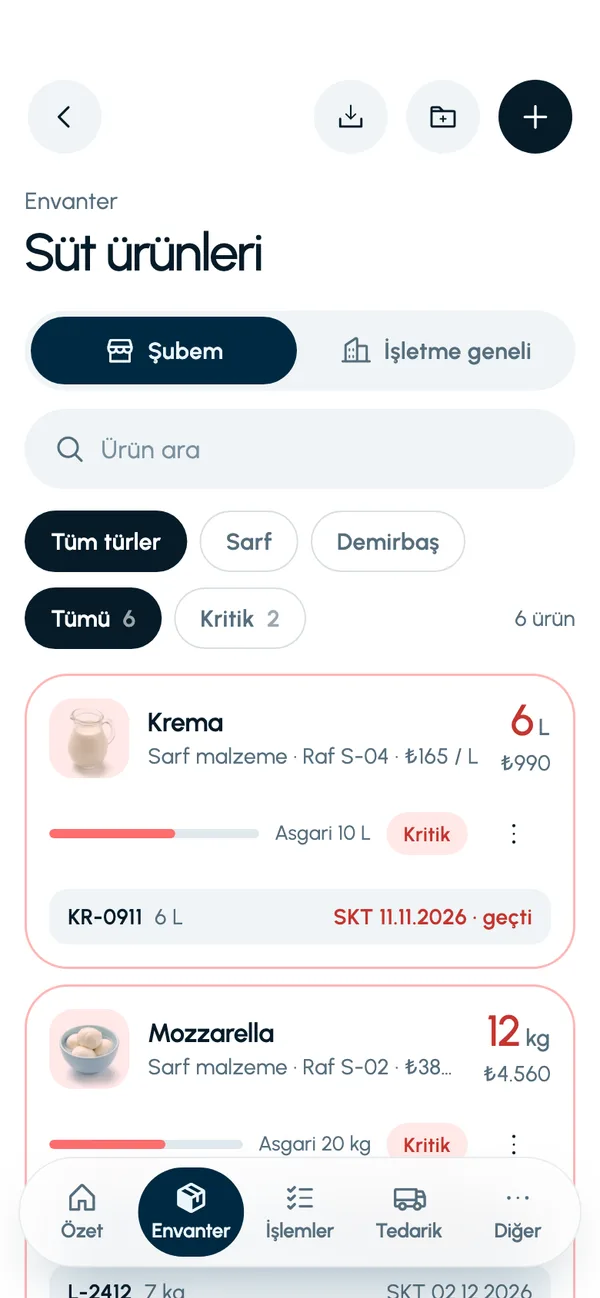
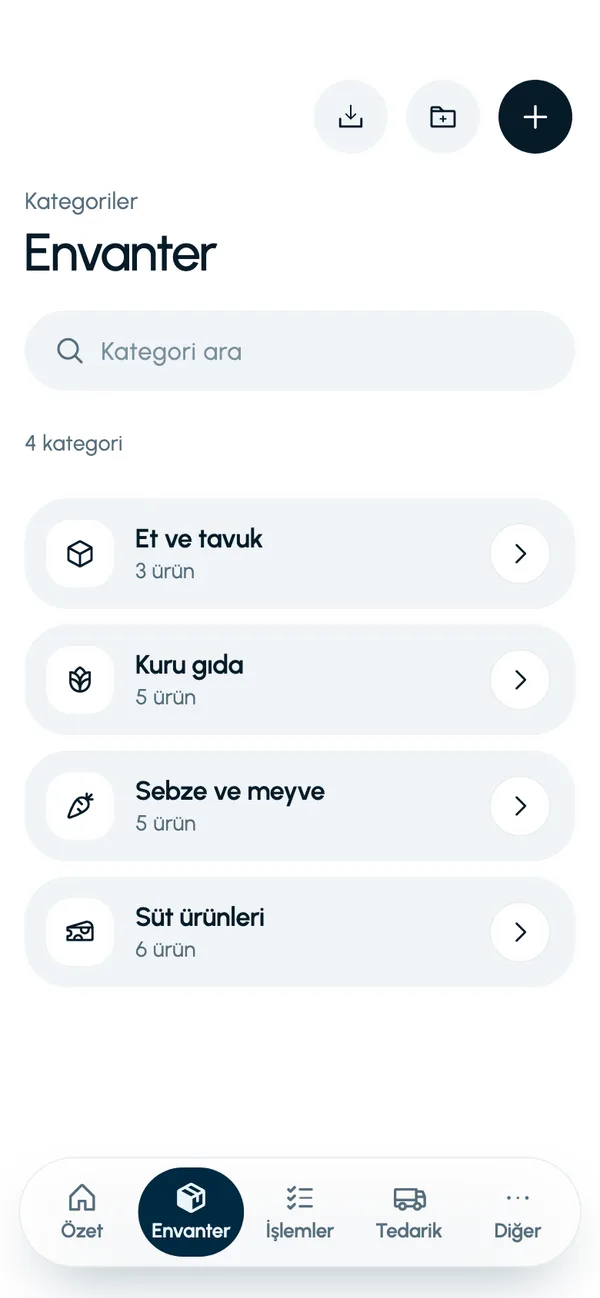
These are real screens from the app. The app interface is in Turkish; the business and products shown are sample data.
How it works
- 1
Open the inventory
Go to the Inventory tab (Envanter).
- 2
Tap export
Choose the export button at the top of the screen.
- 3
Choose the format
Excel file or CSV file.
- 4
Share
Send the file with your email, messaging or files app.

At a glance
- Formats
- Excel (.xlsx), CSV
- Excel sheets
- Products, Stock, Batches
- Scope
- The branch's inventory
- CSV separator
- Semicolon, UTF-8
Good to know
- Export covers the branch's inventory. Stock movements, waste, purchasing and count records are not exported at present.
- Import from Excel and PDF output are not available yet.
Frequently asked questions
How do I export my stock list to Excel?
On the Inventory tab, tap the export button and choose Excel file. The file is created and the phone's share menu opens; you send it wherever you like.
What information is in the Excel file?
There are three sheets. Products: name, category, SKU, barcode, unit, minimum stock, unit cost. Stock: name, SKU, barcode, unit, current stock, shelf. Batches: name, batch code, quantity, expiry date.
Can I also export movements or waste records?
Not at present. Export is limited to inventory: products, stock and batches.


Let us set up your stock together
We will walk you through the app with your own products and branches. The demo is free and takes about 30 minutes.