Supplier management and purchase requests
Purchasing in LineerStok takes three steps: the branch raises a purchase request, the business admin approves it or rejects it with a reason, and when the goods arrive they are received and stock goes up automatically. Supplier cards hold the unit price, minimum order quantity and lead time for each product.
What you can do
Supplier card
Contact person, phone, email, address, tax details and payment terms are kept on one card.
Price and terms per product
For each product a supplier provides, you record the product code, unit price, currency, minimum order quantity and lead time.
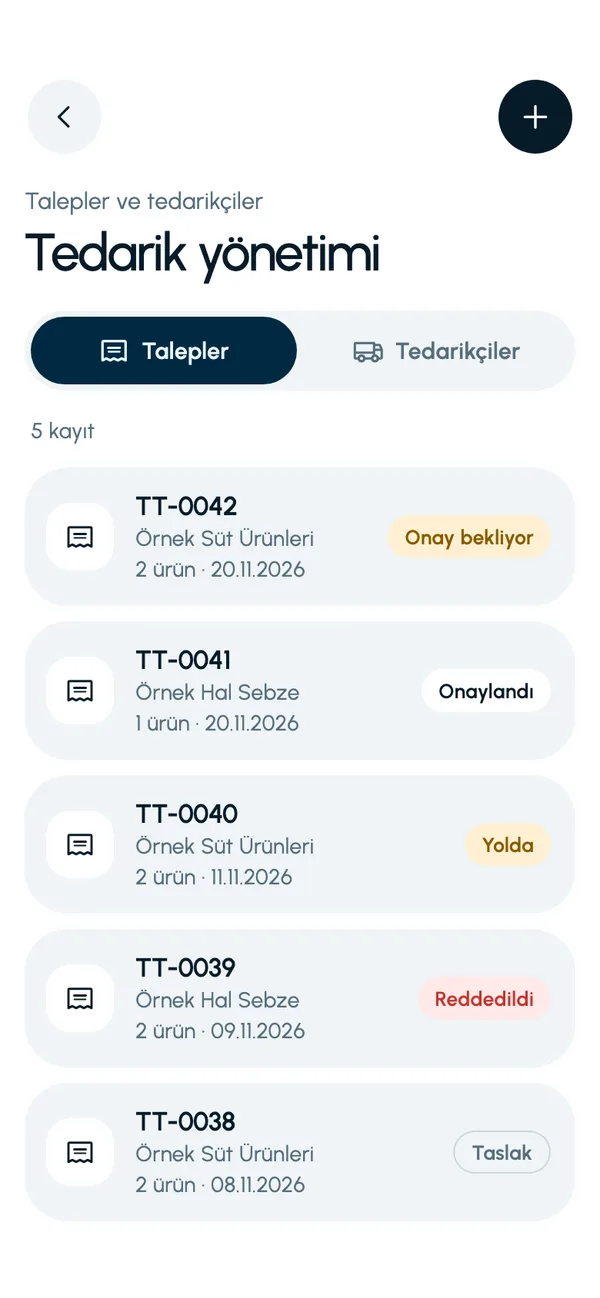
Requests for a branch or a warehouse
You can raise the request for your branch or for your central warehouse. You add the date you need the goods by and a note.
Approval, or rejection with a reason
The request goes to the business admin for approval. If the admin rejects it, a reason is mandatory; the branch sees why it was rejected.
Automatic stock in on receipt
When you receive an approved request, the products are added to stock and a supplier delivery movement is written.
Minimum order warning
If a request falls below the supplier's minimum order quantity, the app warns you.
Screens from the app
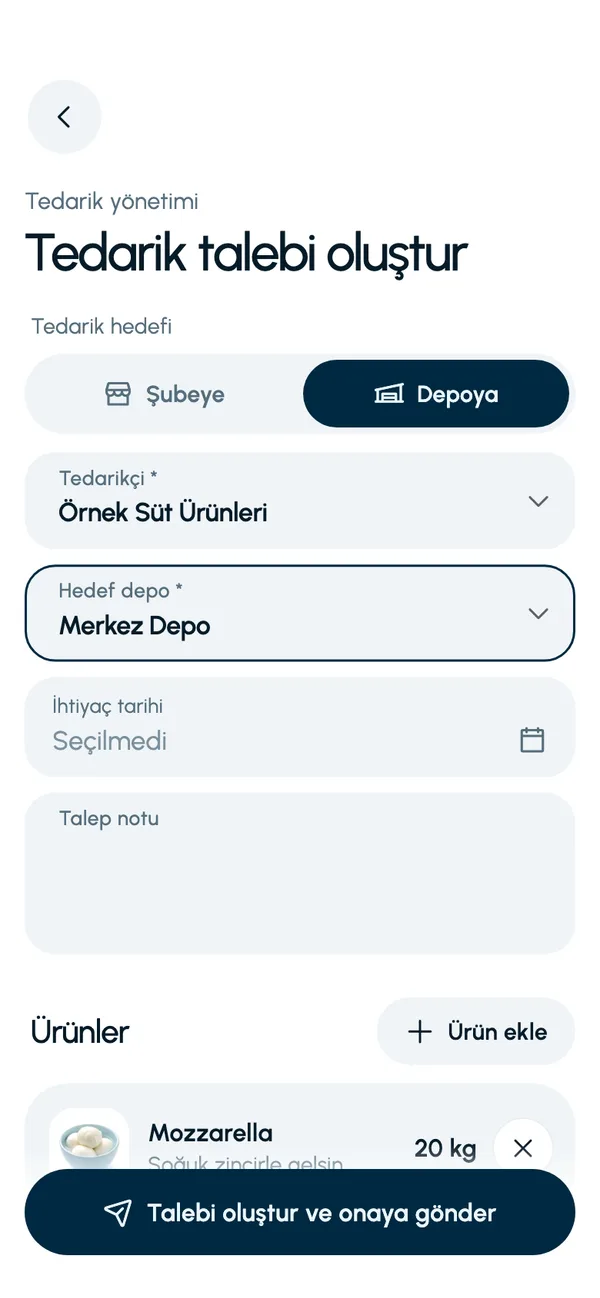
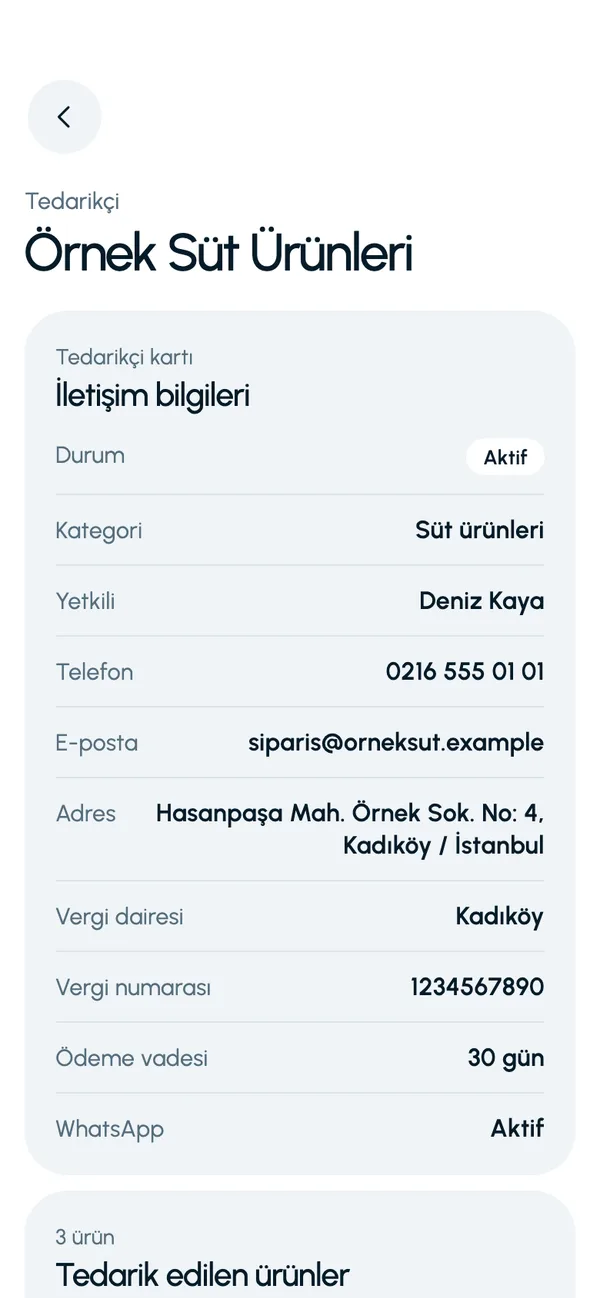
These are real screens from the app. The app interface is in Turkish; the business and products shown are sample data.
How it works
- 1
Add the supplier
Enter the contact and tax details, then link the products they supply, with prices.
- 2
Create a request
Select the supplier and the products, enter the required-by date and send it for approval.
- 3
The admin approves
The business admin approves the request on the phone, or rejects it with a reason.
- 4
Receive the goods
When the goods arrive, complete the delivery. Enter the expiry dates and stock goes up.


At a glance
- Request destination
- Branch or central warehouse
- Approval
- Business admin
- Rejection
- Reason is mandatory
- Receipt
- Stock goes up, a movement is written, expiry dates are entered
Good to know
- A request is an internal approval and record-keeping flow. No order email or message is sent to the supplier automatically; you pass the order on to your supplier yourself.
- The required-by date cannot be in the past, and the same product cannot appear twice in one request.
- A request must be approved before it can be received.
- Goods cannot be received while a stock count is in progress at the branch.
Frequently asked questions
Who approves a purchase request?
The business admin. The branch manager raises the request and sends it for approval; the business admin approves it, or rejects it and writes the reason.
Do I need to enter the stock separately when the goods arrive?
No. When you complete the delivery on an approved request, the products are added to the stock of the branch or warehouse and written to movements as a supplier delivery.
Does LineerStok send the order to the supplier itself?
No. LineerStok records the request being raised, approved and received. You pass the order on to your supplier by phone, by email or through your own channel.
Can I record a supplier's prices?
Yes. For each product you link to a supplier, you enter the unit price, currency, minimum order quantity and lead time.


Let us set up your stock together
We will walk you through the app with your own products and branches. The demo is free and takes about 30 minutes.