Mobile stock management for every business that holds stock
Products, expiry dates, counts and purchasing in one app. Each branch manages its own stock, and you see all of them from your phone.
What is LineerStok?
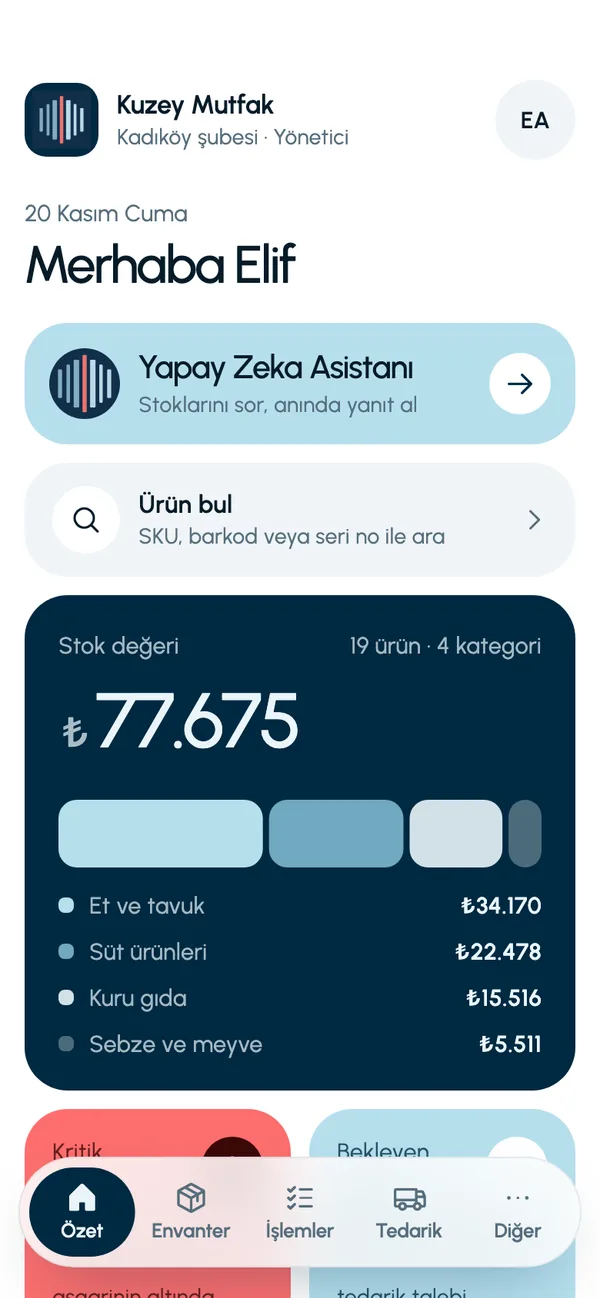
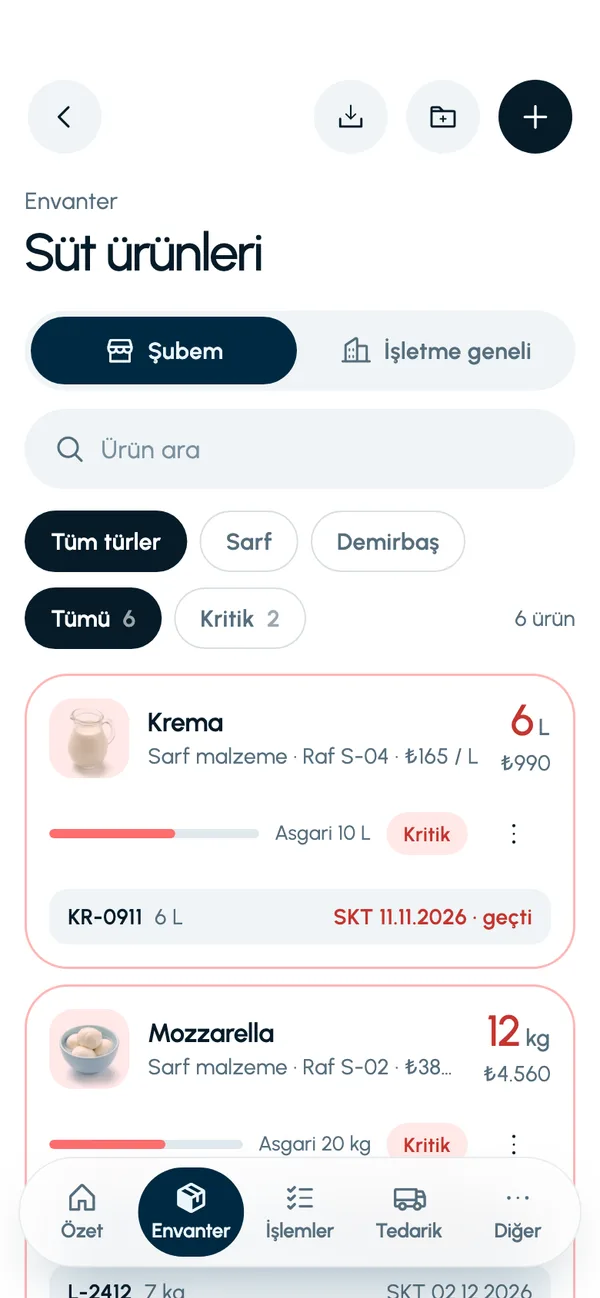
LineerStok is a mobile app built for businesses that hold stock to manage it from the phone. From restaurants to grocery stores, from clinics to construction sites, it is used in any business that keeps products or materials in a storeroom. It tracks the quantity, cost and, where there is one, the expiry date of every product, and brings stock counts, waste records, purchase requests and warehouse-to-branch transfers together in one place. It is not a sales, POS or invoicing system; its only job is stock.
The LineerStok app interface is currently available in Turkish.
- Who it is for
- Restaurants, grocery stores, shops, warehouses, clinics, workshops, construction sites: any business that holds stock
- Where it runs
- On the phone: a mobile app for Android and iOS
- Structure
- One business, with branches and central warehouses under it
- Product types
- Consumables and fixed assets; units are free text (kg, L, pieces)
- Users
- Business admin and branch managers
- App language
- Turkish
A screen for every step of your stock
Each of the twelve features has its own page, describing what it does and what it does not do.
Inventory tracking
Quantity, cost and shelf for every item
Learn more
Batch and expiry tracking
See what expires soonest first
Learn more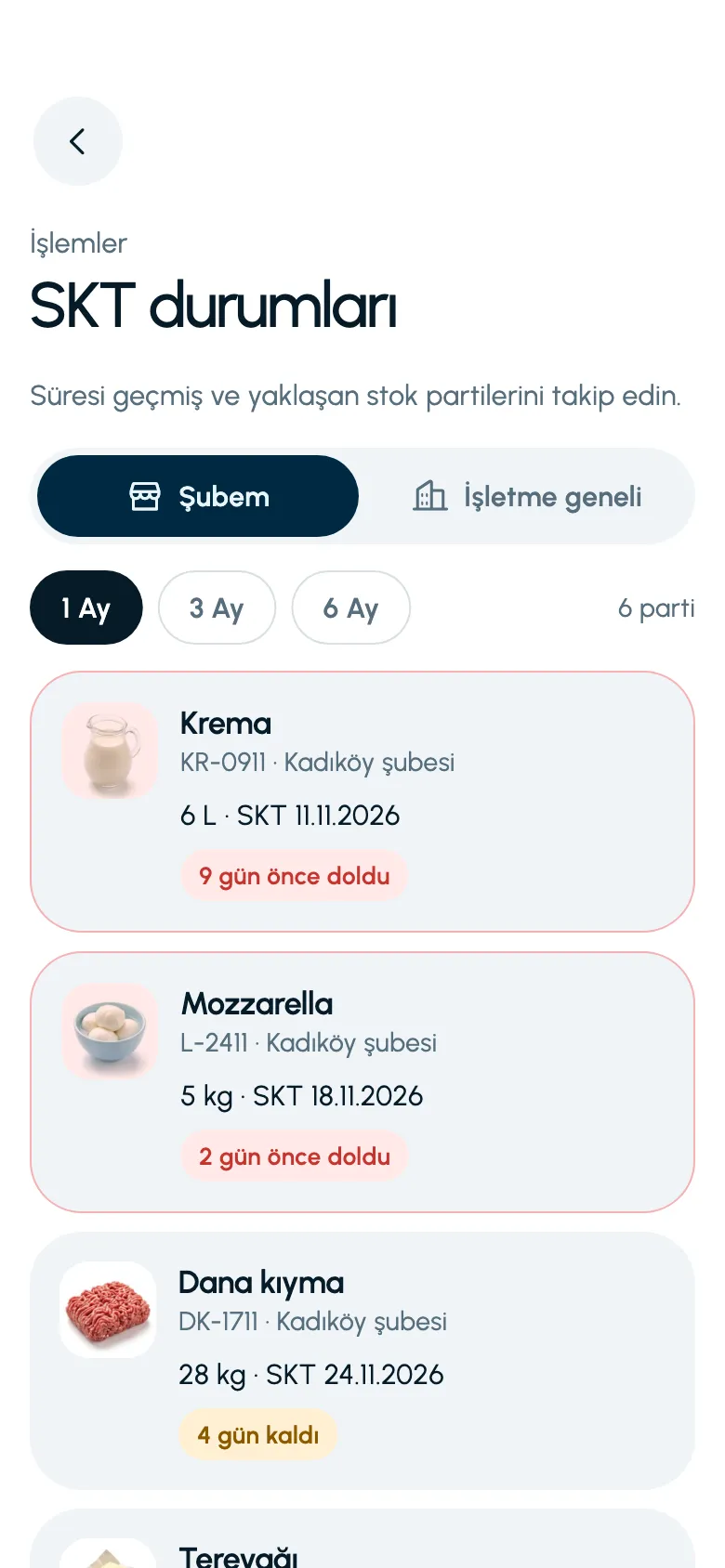

Waste tracking
See how much was lost and why

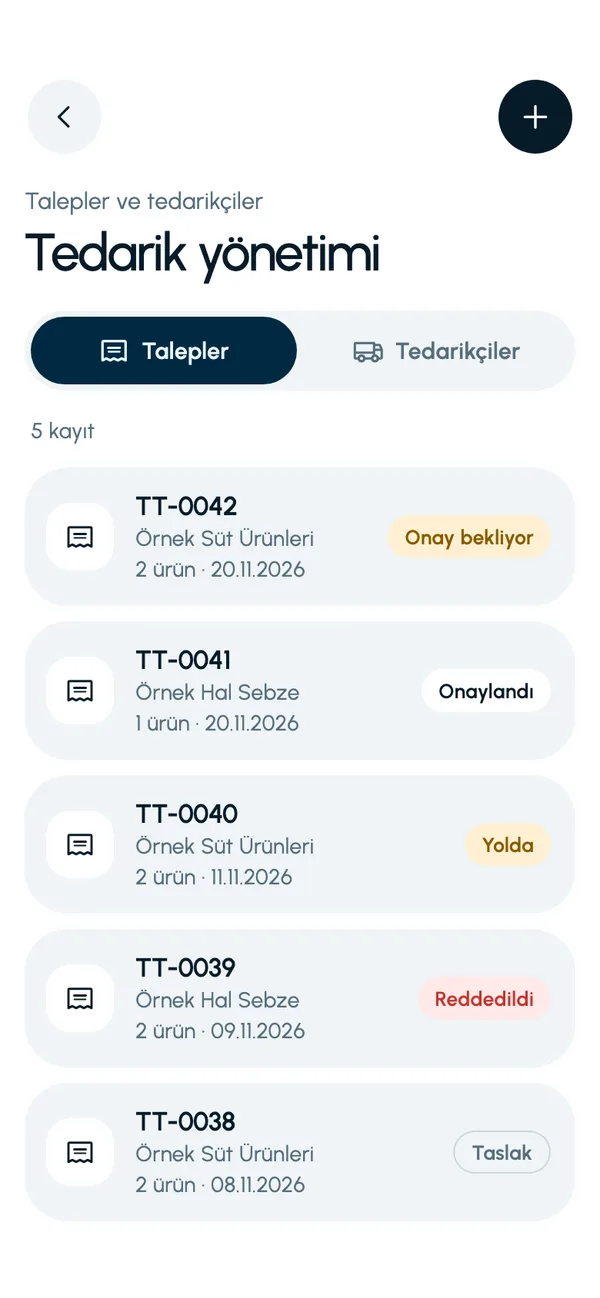
Purchasing and suppliers
Raise a request, approve it, receive the goods

Warehouse transfers
Send stock from the central warehouse to a branch, choosing the batch

Multi-branch management
Each branch manages its own stock, you see them all
Stock count
See the variance as you count, approve to update stock
Learn more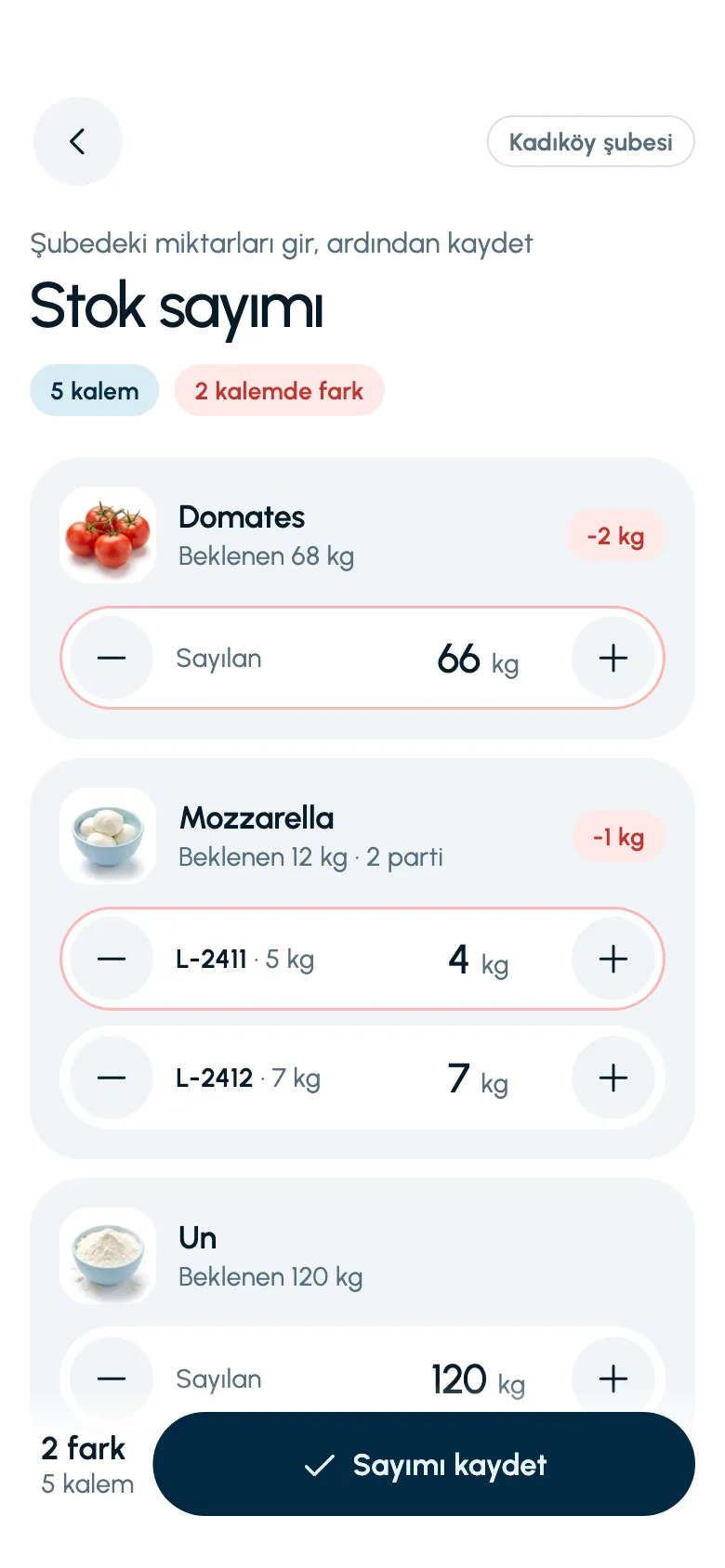
AI assistant
Ask about your stock, get answers in Turkish
Learn more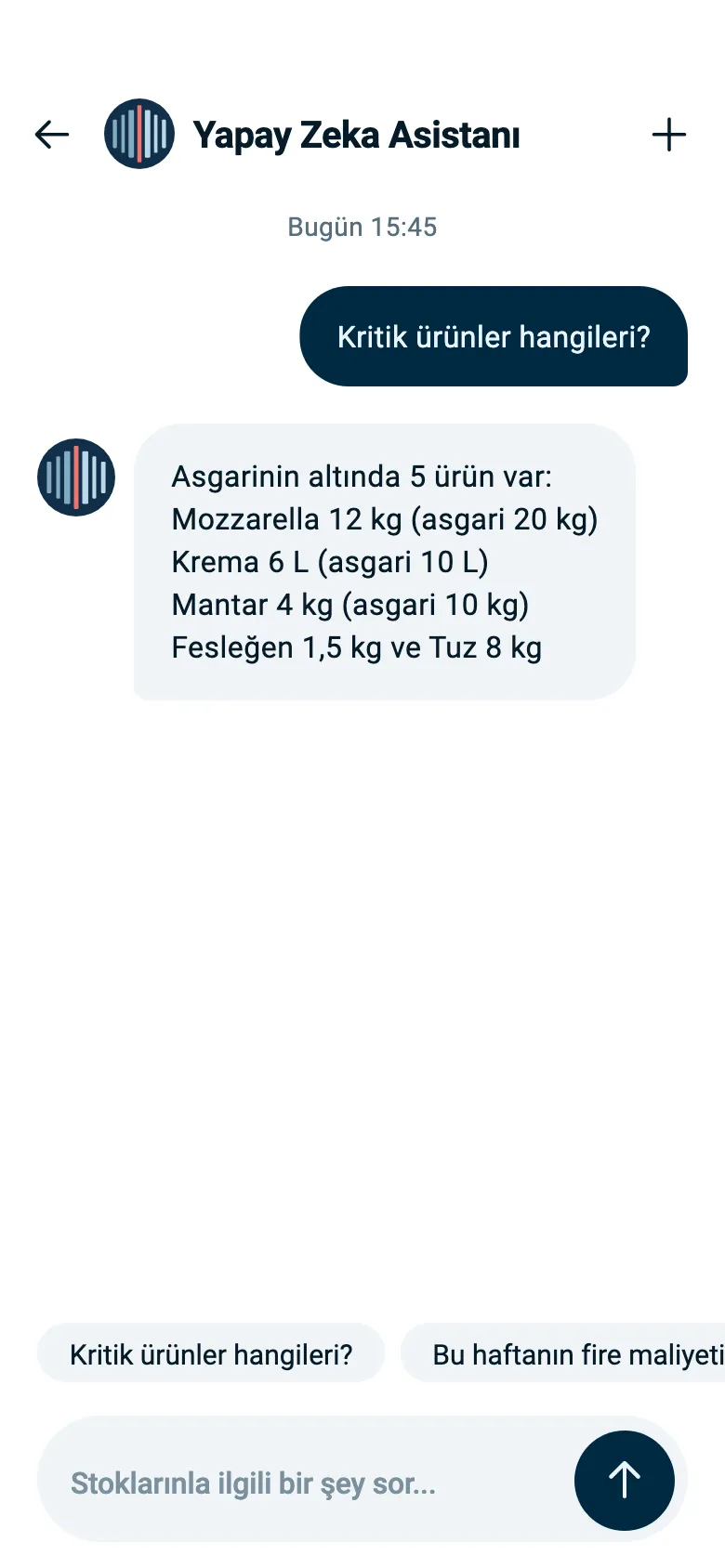

Barcode and product lookup
Scan it, see stock and shelf right away

Stock movements
What, when, how much: a complete record

Excel and CSV export
Your inventory in Excel with one tap

Customer records
Keep a record of who the stock went to
A week in the storeroom, four steps
Goods arrive, get used, approach their date and are counted. LineerStok records every step of this cycle.
Receive the goods
When you receive an approved request, stock goes up automatically.
Record the stock out
Enter the quantity used. The app does not allow more than you have on hand.
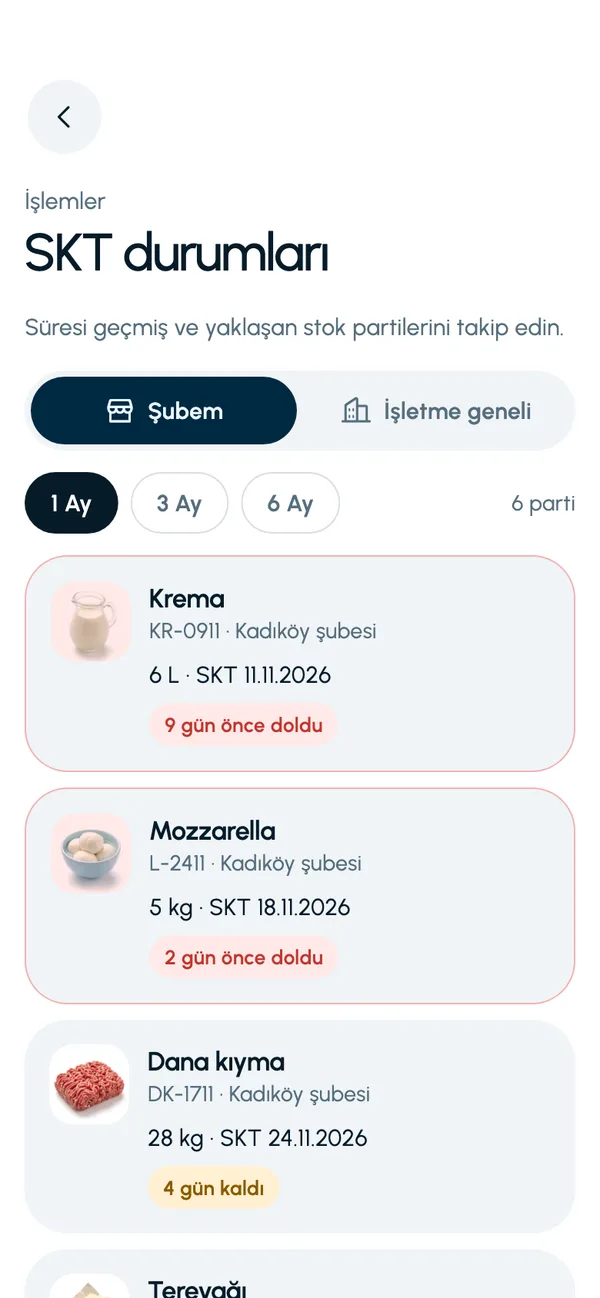
Watch the dates
Expired batches and batches expiring within 7 days are shown separately.
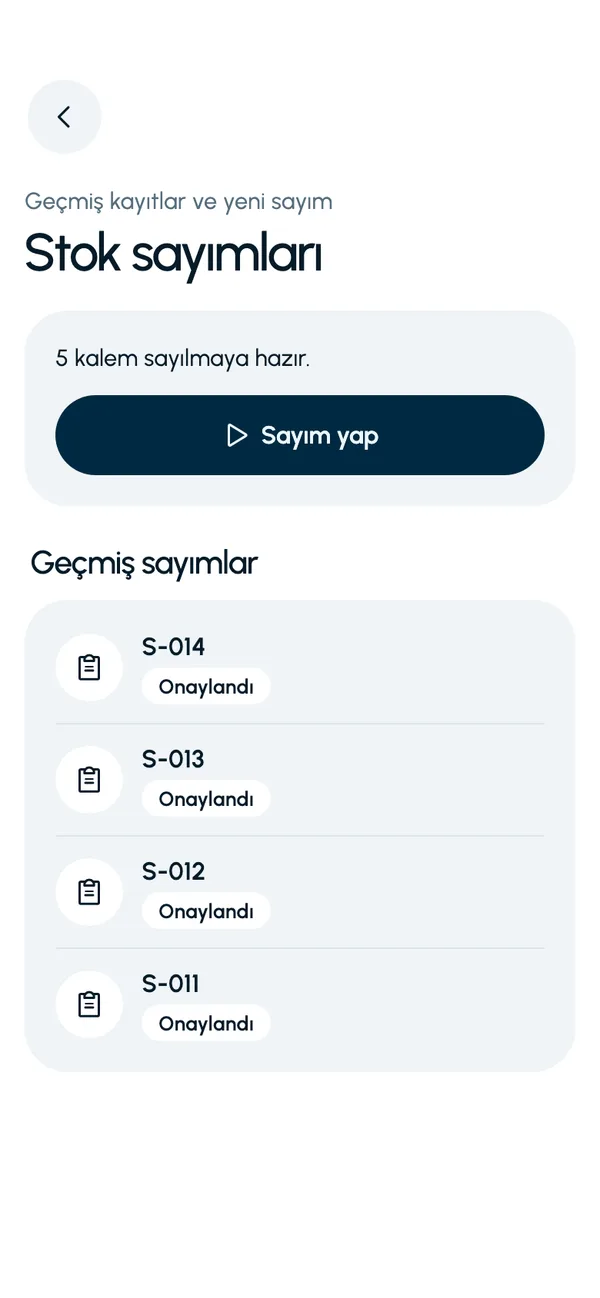
Count and correct
On approval, the count variance is applied to stock and shortages become waste.
These are real screens from the app. The app interface is in Turkish; the business and products shown are sample data.
Branches work separately, you see the whole picture
Each branch manager sees only their own stock. The business admin switches to the Business-wide view with one tap: which branch and which warehouse holds a product, and how much.
- Invite a branch manager with a code sent by email
- Approve branch purchase requests on your phone
- Transfer from the central warehouse to a branch, choosing the batch
For your sector
The app is not specific to one sector. For each of fifteen sectors, a separate page sets out what it solves in that line of work and what it does not do.

Restaurants
Kitchen stock, expiry dates and purchasing in one app

Cafes
Date tracking for milk, coffee and fresh items

Patisseries and bakeries
Ingredients, dates and waste under control

Catering and large-scale kitchens
High-volume ingredients, dates and purchasing

Hotels
Kitchen, housekeeping and fixed assets in one place

Grocery stores and corner shops
Storeroom stock, expiry dates and counts

Shops and retail
Find by barcode, see stock across branches

Wholesalers and warehouses
Batches, stock out to customers and warehouse stock

Auto repair and spare parts
Find the part by code, keep stock in check

Beauty salons and hairdressers
Product and consumables stock, with dates

Clinics and health centers
Batch, date and minimum stock for consumables

Offices and organizations
Fixed assets and consumables in one list

Workshops and manufacturing
Raw materials and consumables under control

Construction and job sites
Material tracking from the central warehouse to the site

Multi-branch chains
Branches, central warehouse and approval flow
Stock management guides
How do you run a stock count in a restaurant?
When to count, in what order and who should do it. Seven steps and four common mistakes.
What is FEFO, and how is it different from FIFO?
The nearest expiry date goes out first. How it differs from FIFO and why it is preferred for food.
How do you calculate your food waste rate?
Two formulas, two examples: waste rate by cost, and prep waste (yield).
How do you set a minimum stock level?
Setting the right lower limit for each product using daily usage, lead time and safety stock.
Frequently asked questions
What is LineerStok?
LineerStok is a mobile stock management app for businesses that hold stock. In businesses such as restaurants, grocery stores, shops, warehouses, clinics, workshops and construction sites, it lets you manage inventory, batches and expiry dates, stock counts, waste, purchase requests and warehouse-to-branch transfers from your phone.
Which sectors is it used in?
LineerStok is not specific to one sector. The unit is free text (kg, L, pieces), products are defined as consumables or fixed assets, and expiry tracking is turned on product by product. We have separate solution pages for food service, retail, wholesale, healthcare, beauty, manufacturing, construction and offices.
Is LineerStok a POS or order-taking system?
No. LineerStok does stock management only. It has no order-taking, cash register, invoicing or account ledger functions, and it does not connect to a POS system.
Which devices does it run on?
LineerStok is a mobile app; it runs on Android and iOS phones. There is no web panel or desktop version.
Can it be used without an internet connection?
No. The app reads and writes data on the server in real time; it needs an internet connection to work.
How do I get started?
Request a demo from the contact page. We show you the app with your own products and branches, and open your account.
Let us set up your stock together
We will walk you through the app with your own products and branches. The demo is free and takes about 30 minutes.